The Best Tinnitus Relief Apps

Reviewed by Mike & Linda. We tested every app and this is what works for us.

Our Pick

Aurina

Sound therapy that works with your life

The only app with Underlay Mode, which plays underneath Spotify, podcasts, and phone calls so you get relief all day without switching apps. Notched audio therapy done right: guided A/B tone matching helps you find your frequency in minutes instead of fumbling with sliders. Clean, modern interface that feels like it was designed in 2025, not 2015.

Our personal choice. See how all 12 apps rank in the scorecard below.

Detailed Scorecard

Sorted by total score. Ratings 1-5 across 10 criteria. See our methodology.

App Ease UI Notch BG Play Tone Sounds CBT Value Mature Lang Total
1
Underlay Mode for always-on relief
iOS
36 /50
2
Feature-rich but dated interface
iOS
34 /50
3
Clinically-backed masking & relaxation
32 /50
4
AI-powered CBT & coaching
31 /50
5
Precision filters for masking
iOS
30 /50
6
Oto
Structured daily therapy program
28 /50
7
Audiophile-grade soundscapes
28 /50
8
Body based therapy approach
22 /50
9
Simple Android masking
21 /50
10
Budget one time purchase
iOS
21 /50
11
T-Minus Discontinued
Sound therapy & journaling
iOS Android
20 /50
12
Notch therapy pioneer (dated)
16 /50

Detailed Reviews

1

Aurina

Underlay Mode for always-on relief

Platforms: iOS Pricing: $6.99/mo or $69.99 lifetime

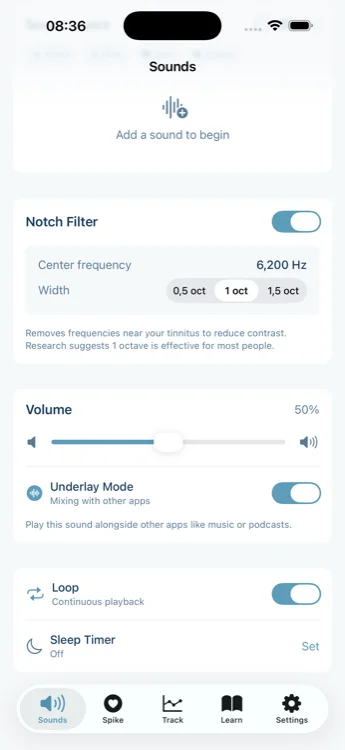
Aurina is a newer app that solves one of the most annoying problems with tinnitus apps: they stop playing when you open Spotify or YouTube. Aurina's "Underlay Mode" lets therapy sounds play underneath your regular audio, which sounds simple but changes everything.

Aurina is a notch therapy app. AudioNotch pioneered this concept years ago, but their implementation was frustrating: clunky frequency matching, server-side processing, audio that wouldn't loop or play in the background. Good science, bad app. Aurina takes that idea and executes it properly.

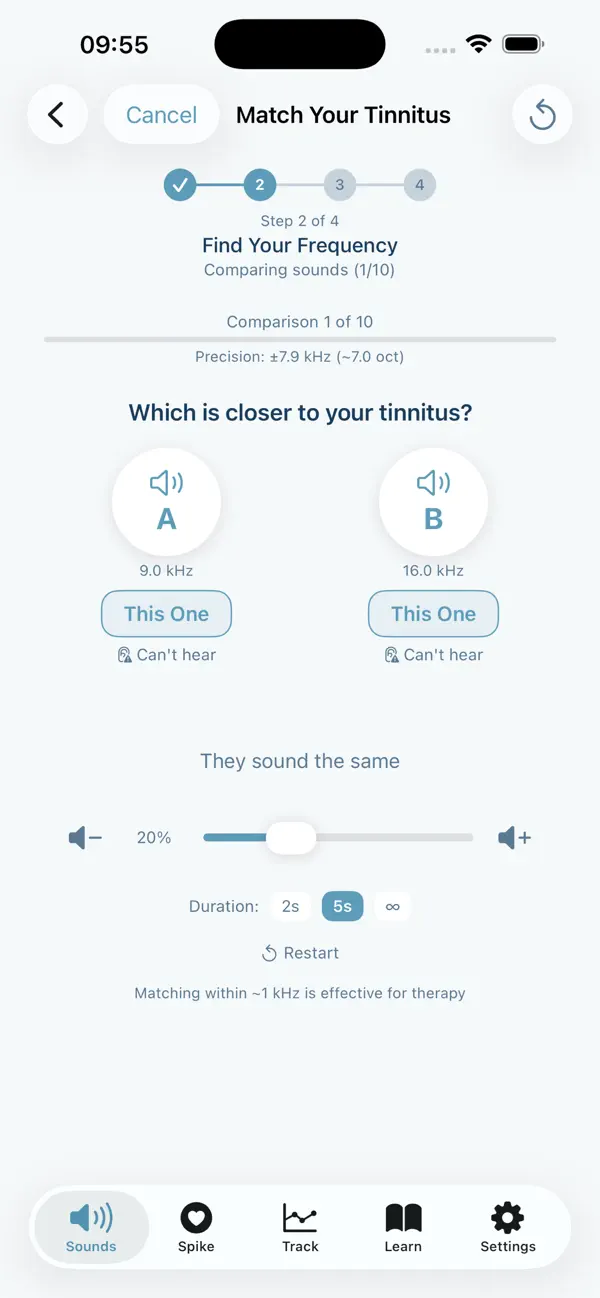
The tone matching is the smoothest we've tried. Instead of manually sliding through frequencies, Aurina uses A/B comparison. You pick which of two tones sounds closer to your tinnitus, and it narrows down automatically. Mike found his frequency in about 2 minutes; with other apps it took 15+ minutes. Once matched, Aurina applies notch filtering in real time to any sound the app produces. This is technically impressive: you can mix multiple sounds and they're all notched live, not pre-generated files sitting on a server.

The sound mixer lets you layer multiple sounds with individual volume controls. There are 22+ therapeutic sounds to choose from. Our favorite combination is White Noise + Stream + Rain. You can save your custom mixes and load them later. The audio engine uses dual buffer crossfade, so loops are seamless with no clicks or pops. Mike forgot to set the sleep timer once and it played all night without a single glitch.

Why does background play matter? Notch therapy needs several hours of daily listening to work. The therapy sounds sit in frequencies different from normal music and speech, so they don't interfere with podcasts or YouTube. You get your therapy hours in while living your normal life.

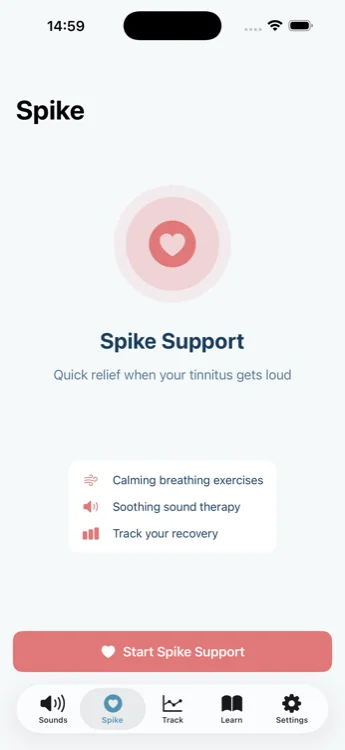
Aurina also has a "Spike" feature for those bad moments when tinnitus flares up. It combines breathing exercises with therapeutic sounds to help you regain control. We haven't seen this in other apps. The app tracks statistics (tinnitus intensity, spike episodes, recovery time, listening hours) that you can share with your ENT doctor. There's also a Learn section explaining the science behind notch therapy.

The interface is exceptionally clean and polished. This feels like what Apple would have designed if they released a tinnitus relief app: minimal, intuitive, and beautifully crafted. Here's the catch: it's new and English only for now. As of early 2026, there aren't thousands of reviews to validate it. The $69.99 lifetime option is appealing if you're confident, but the $6.99/month lets you test without commitment. iOS only, though Android is reportedly coming.

Best for: People who want notch therapy that actually fits into daily life. The technical execution (real time notching, seamless audio, background play) is what sets it apart.
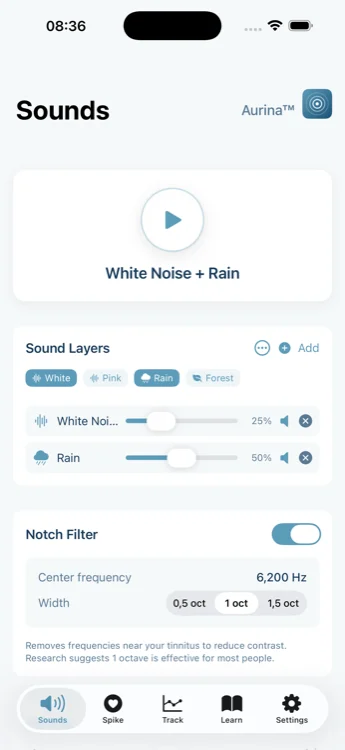
Aurina sound session with layered therapy sounds and volume controls

Create your mix from 20+ sounds

Aurina underlay mode settings showing background playback options

Play therapy under music & videos

Aurina spike support feature for tinnitus flare-up relief

Quick relief for tough moments

Aurina guided frequency matching for tinnitus tone identification

Guided frequency matching

Limitations

  • New app with limited public ratings
  • iOS only (Android planned)
  • English only (more languages planned)
  • Not a structured CBT course like Oto or MindEar
36
out of 50
Ease of Use 5
UI Design 5
Notch Therapy 4
Background Play 5
Tone Matching 5
Sound Library 3
CBT/Program 2
Value 4
Maturity 2
Languages 1

2

Tinnitus HQ

Feature-rich but dated interface

Platforms: iOS Pricing: $89.99 one-time

Tinnitus HQ is the serious hobbyist's choice. If you want maximum control over your tinnitus sounds and don't mind a learning curve, this app has more filters and customization than anything else we've tested.

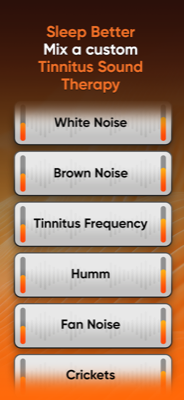
The headline feature is advanced notch filtering with multiple frequency bands. You can create custom notches at different frequencies, which is useful if your tinnitus has multiple tones. The parametric EQ lets you shape sounds precisely. The sound library is massive: hundreds of recordings across nature, noise colors, and ambient textures.

Finding your frequency requires manual work. You slide through frequencies and listen for what matches your tinnitus. Mike found this frustrating compared to Aurina's guided approach, but audiophiles might appreciate the control. Once set up, the notch therapy works well and the sounds play reliably in the background.

The $89.99 price tag is steep, but it's one time. If you'll use this app for years, the math works out better than subscriptions. Think of it as buying professional software rather than renting consumer apps.

The interface is functional but dated. This isn't a beautiful app; it's a powerful tool that prioritizes features over polish. There's no CBT content, no coaching, no hand-holding. Just sounds and filters.

With 4+ stars across hundreds of reviews, users who want this level of control find it worth the investment. The developer has maintained it for years.

Best for: iOS users who want maximum sound customization and don't mind a technical interface. The one-time price appeals to subscription-haters.

Tinnitus HQ main sound therapy interface

Sound therapy controls

Tinnitus HQ sound mixer with multiple layers

Advanced sound mixer

Tinnitus HQ notch filter settings

Notch filter controls

Tinnitus HQ parametric EQ and equalizer controls

Parametric EQ controls

Limitations

  • High upfront cost ($89.99)
  • Manual tone matching takes effort
  • iOS only
  • Dated interface design
  • No CBT or coaching content
34
out of 50
Ease of Use 3
UI Design 2
Notch Therapy 5
Background Play 4
Tone Matching 3
Sound Library 5
CBT/Program 1
Value 3
Maturity 4
Languages 4

3

ReSound Relief

Clinically-backed masking & relaxation

Platforms: iOS, Android Pricing: Free (premium $6.99/mo)

ReSound Relief is the Toyota Camry of tinnitus apps. Not exciting, but reliable and well regarded. Made by ReSound (a major hearing aid company), it's backed by legitimate clinical research and used by audiologists.

The free tier is genuinely useful, which is rare. You get a solid library of masking sounds: nature recordings, white/pink/brown noise, and customizable soundscapes. A six-month clinical study showed consistent improvement in tinnitus symptoms with daily use. That's more evidence than most apps can claim.

The app combines four approaches: sound masking (covering the tinnitus), distraction (giving your brain something else to focus on), habituation (training yourself to tune it out), and relaxation (guided breathing, calming exercises). It's not trying to be revolutionary. It's trying to be a well executed implementation of proven techniques.

Linda uses ReSound Relief for sleep. The "Nature" soundscapes are genuinely soothing, and the sleep timer works reliably. The relaxation exercises are basic but functional. However, the interface has frustrating quirks. Custom mixes all get the same generic name, so finding that perfect soundscape you created yesterday becomes a treasure hunt. Background playback is also inconsistent. Sometimes it plays alongside other apps, sometimes it doesn't.

The premium tier ($6.99/mo) adds more sounds and features, but honestly the free version covers most needs. With 17K+ iOS ratings averaging 4.3 stars and 500K+ Android downloads, this is an established app that clearly works for many people.

Skip if: You want notch therapy or tone matching. ReSound Relief is purely about masking and relaxation, with no frequency specific treatment.

ReSound Relief main sound therapy screen

Sound therapy interface

ReSound Relief soundscape library

Nature soundscapes

ReSound Relief relaxation exercises

Relaxation exercises

ReSound Relief sleep timer and bedtime settings

Sleep timer settings

Limitations

  • No notch therapy
  • Background playback inconsistent
  • Confusing UI for saved mixes
  • No tone matching capability
32
out of 50
Ease of Use 4
UI Design 2
Notch Therapy 1
Background Play 3
Tone Matching 1
Sound Library 4
CBT/Program 2
Value 5
Maturity 5
Languages 5

4

MindEar

AI-powered CBT & coaching

Platforms: iOS, Android Pricing: $5.99/mo or $58.99/year

MindEar is the standout CBT-focused tinnitus app of 2025. If you're looking for a structured program to change how you respond to tinnitus (rather than just masking it), this is probably your best option right now.
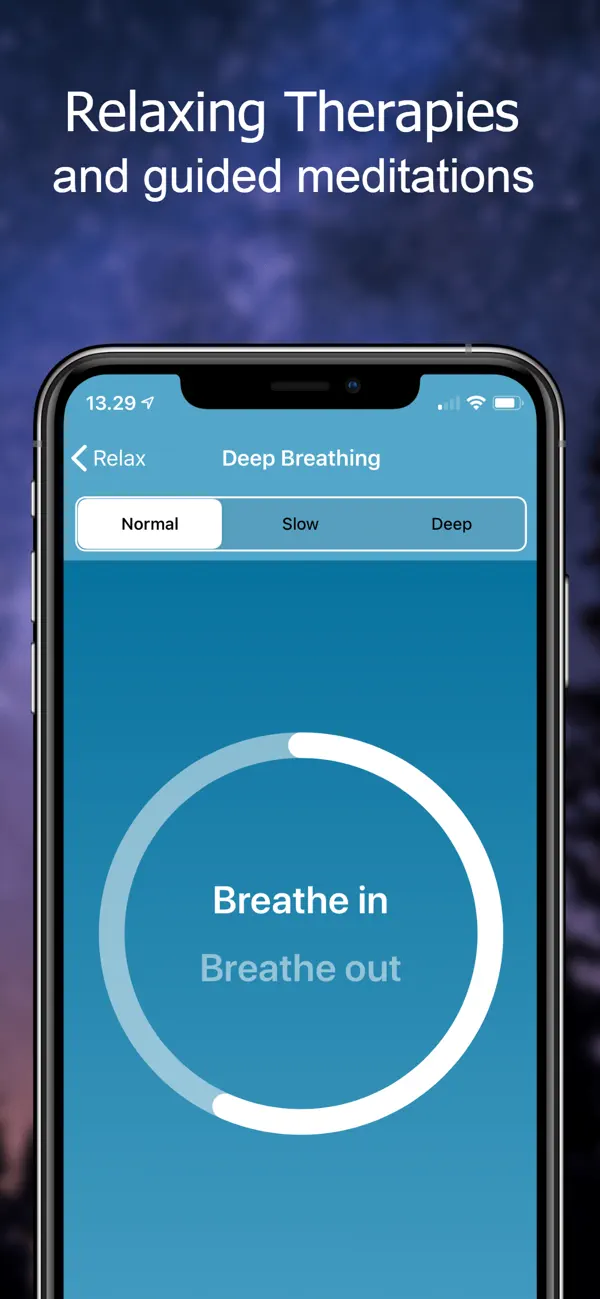
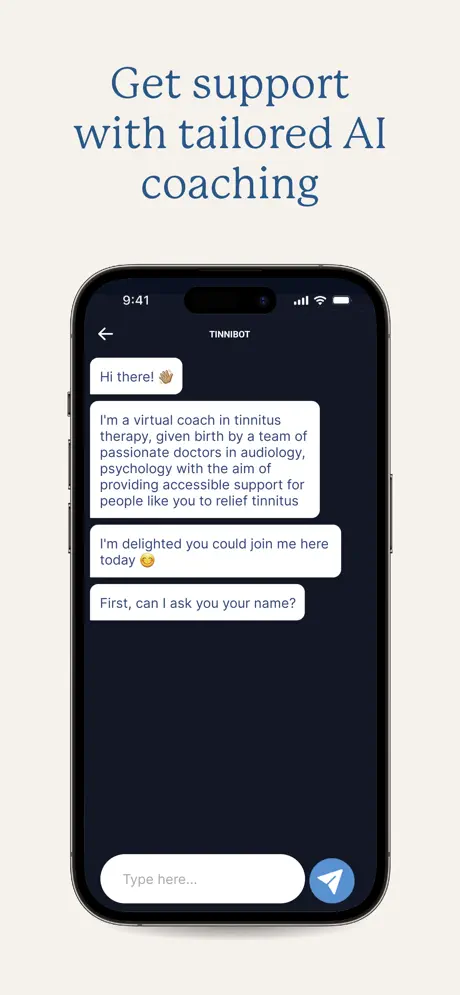
The app's main feature is an 8-week program built around Cognitive Behavioral Therapy principles. You work through daily exercises, guided meditations, and educational content designed to help your brain habituate to the tinnitus sound. What sets MindEar apart is "Tinnibot," an AI chatbot available 24/7 that can answer questions, provide encouragement, and guide you through tough moments. It's surprisingly helpful at 3 AM when the ringing feels unbearable.
Linda tried MindEar for about six weeks. She appreciated the structure. Knowing exactly what to do each day took the guesswork out of tinnitus management. The expert-led podcasts gave her useful context about why certain techniques work. The journaling feature helped her notice patterns (stress = louder tinnitus, go figure).
The sound library exists but isn't the star here. You get some soundscapes and white noise options, but if you're primarily looking for masking sounds, other apps do that better. There's no notch therapy or tone matching. MindEar is purely about the psychological approach.
At $5.99/month or $58.99/year, it's reasonably priced for what amounts to a digital tinnitus therapy course. The 7-day free trial lets you see if the approach resonates before committing. With 4.5 stars from 440+ ratings, users seem genuinely helped by it.

Skip if: You want instant sound masking or notch therapy. This is a commitment to behavior change, not a quick fix.

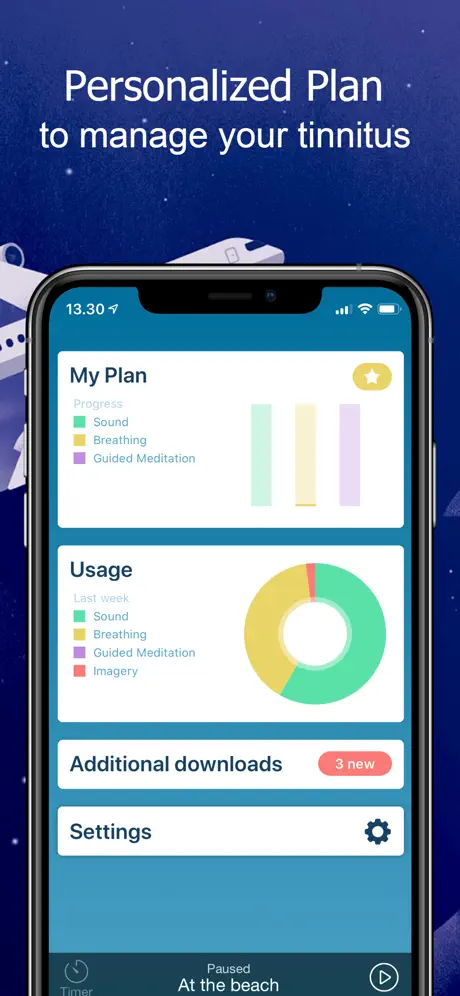
MindEar main screen showing CBT therapy program
Structured CBT program

MindEar AI coaching with Tinnibot chat interface
AI coaching with Tinnibot

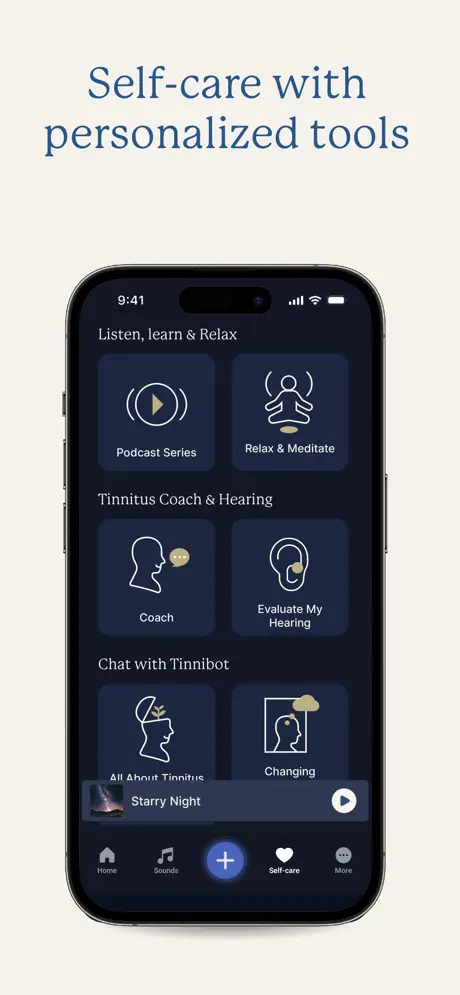
MindEar self-care tools and personalized exercises
Personalized self-care tools

MindEar sound therapy and meditation options
Sound therapy options

Limitations

  • No notch therapy or tone matching
  • Sound library is secondary to CBT content
  • Requires consistent daily engagement
  • Not for instant relief seekers
31
out of 50
Ease of Use 5
UI Design 5
Notch Therapy 1
Background Play 2
Tone Matching 1
Sound Library 3
CBT/Program 5
Value 4
Maturity 4
Languages 1

5

Tinnitus Aid

Precision filters for masking

Platforms: iOS Pricing: Free + $14.99/$39.99 premium

Tinnitus Aid comes from Phase4 Mobile, the same developer behind Tinnitus HQ. Think of it as the junior sibling: similar concept, lower price, fewer features.

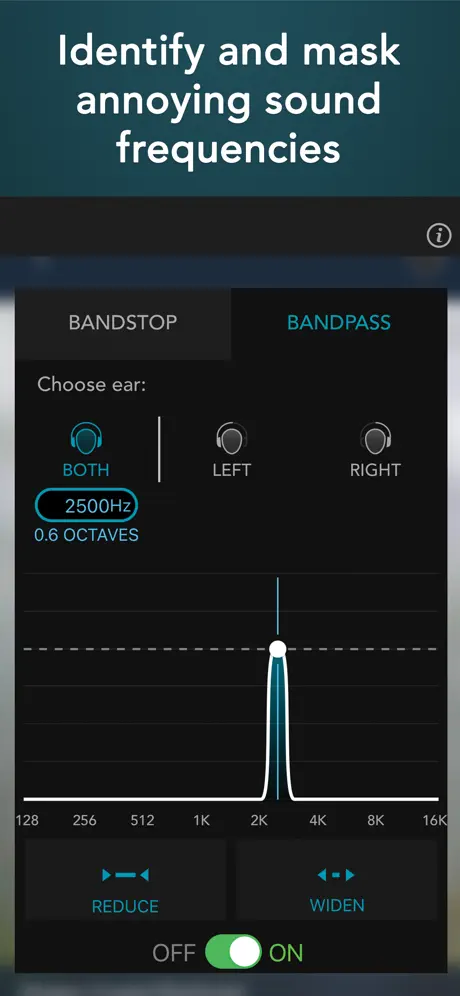
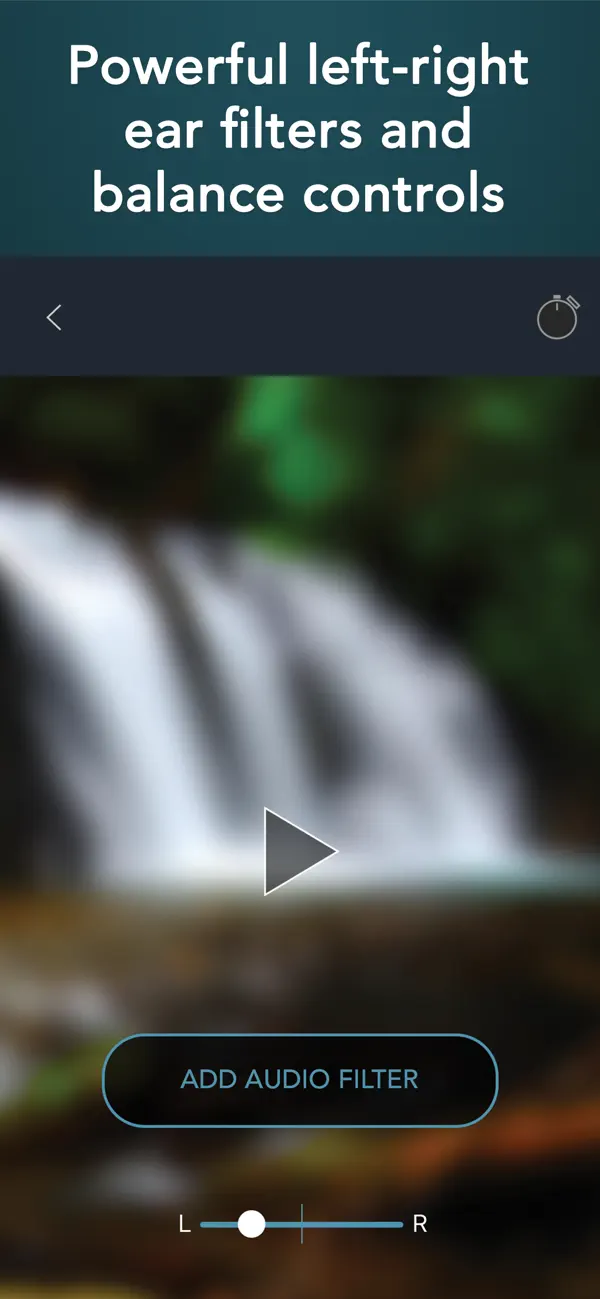
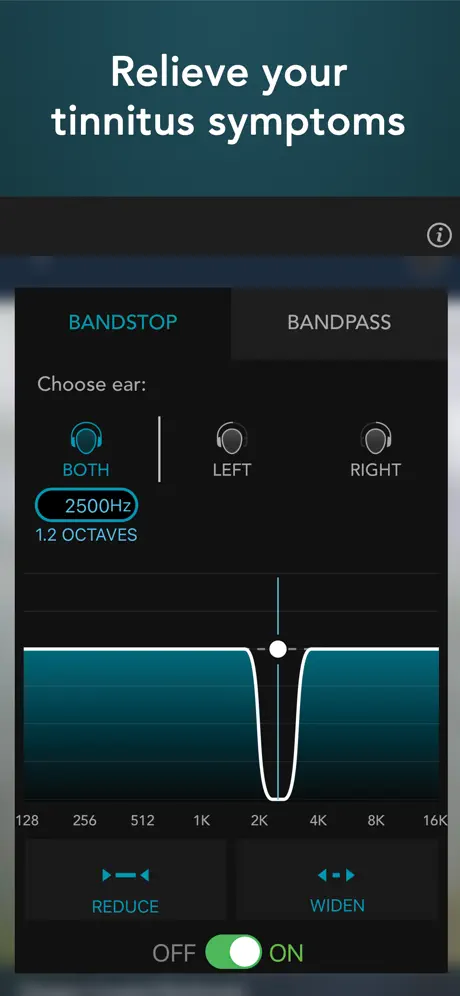
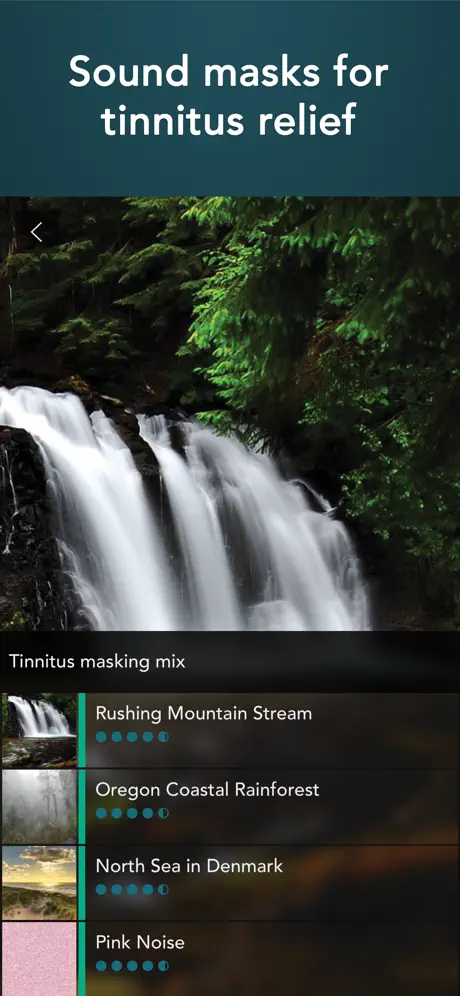
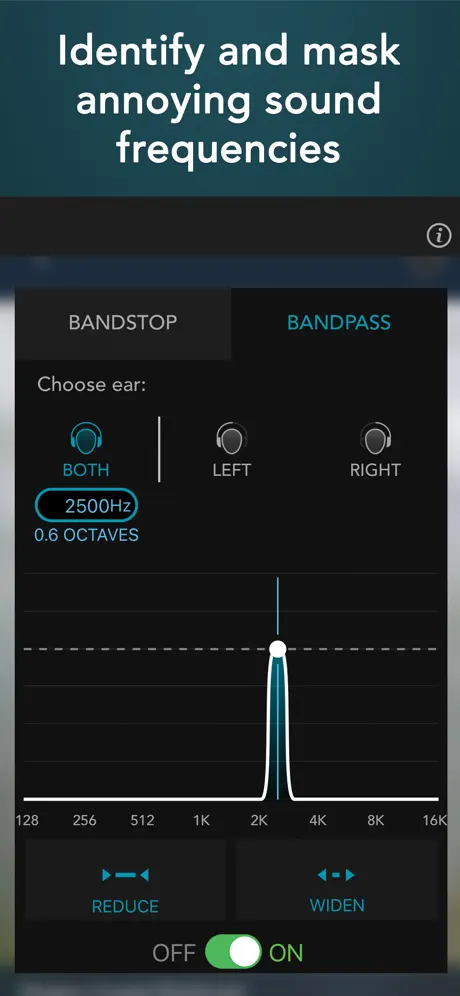
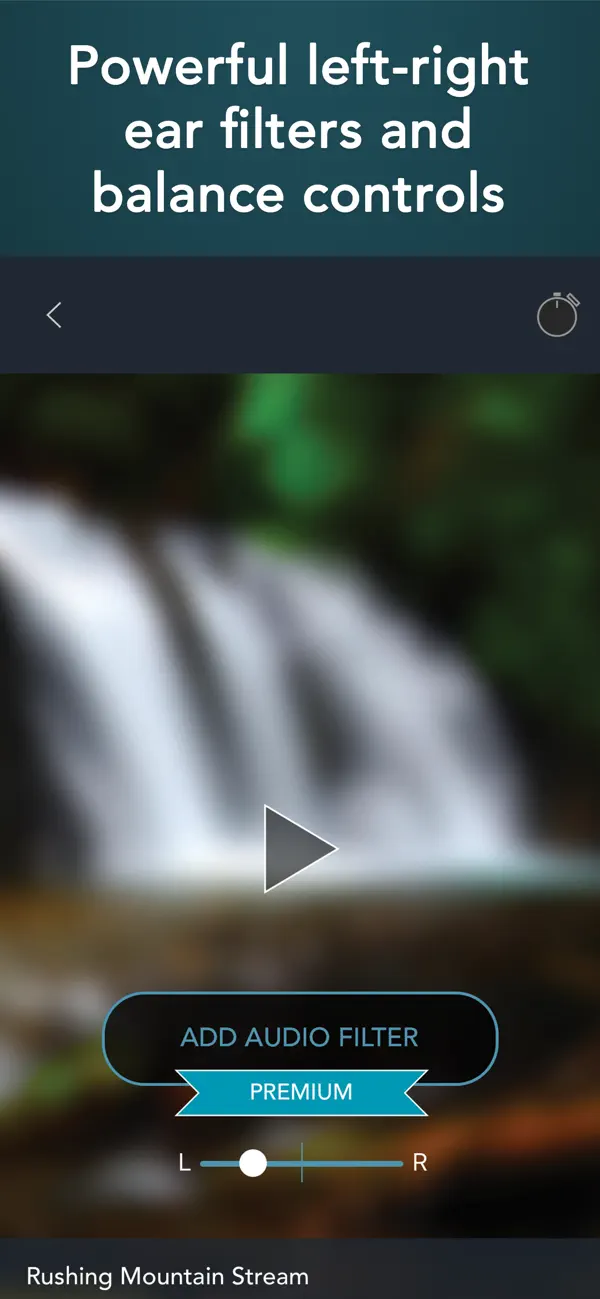
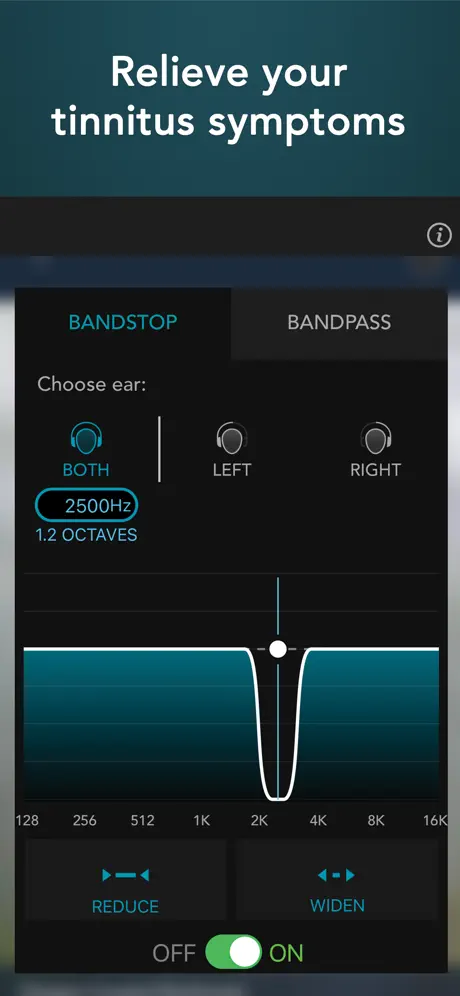
The app includes over 250 natural sounds recorded around the world. What sets it apart from basic maskers is the filtering system. You get bandpass and bandstop filters adjustable from 128 Hz to 16 kHz with surprisingly precise control (down to 1 Hz resolution). You can apply different filters to left and right ears independently, which is useful if your tinnitus differs between ears.

The filtering approach is similar to notch therapy but requires more manual effort. You need to figure out your tinnitus frequency yourself, then dial in the filter settings. There's no guided tone matching like Aurina offers. If you enjoy tinkering with audio settings, this could be satisfying. If you just want something that works out of the box, it might feel tedious.

Background playback works reliably. You can blend up to four sounds together and set sleep timers. The premium tiers ($14.99 or $39.99) unlock the full sound library. With 4.6 stars from over 1,000 ratings, users seem generally satisfied.

The interface is functional but dated. It gets the job done without being pretty. There's no CBT content, no coaching, no structured program.

Best for: iOS users who want filtering capabilities without paying $90 for Tinnitus HQ, and who don't mind manual setup.

Tinnitus Aid main sound therapy interface

Sound therapy controls

Tinnitus Aid sound library

Sound library

Tinnitus Aid filter settings

Precision filters

Tinnitus Aid sleep timer and playback settings

Sleep timer controls

Limitations

  • iOS only
  • Manual frequency identification required
  • No guided tone matching
  • Dated interface
  • No CBT or educational content
30
out of 50
Ease of Use 3
UI Design 2
Notch Therapy 3
Background Play 4
Tone Matching 2
Sound Library 4
CBT/Program 1
Value 3
Maturity 4
Languages 4

6

Oto

Structured daily therapy program

Platforms: iOS, Android Pricing: Subscription (~$12.99/mo)

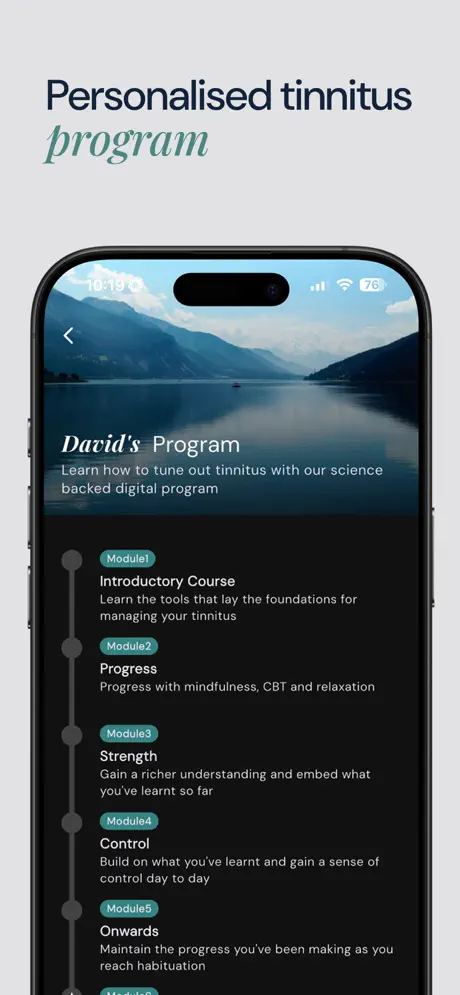
Oto is the original "CBT for tinnitus" app and remains one of the most polished options. If you want structured daily therapy sessions (not just sounds to play), Oto delivers a comprehensive program developed with tinnitus specialists.

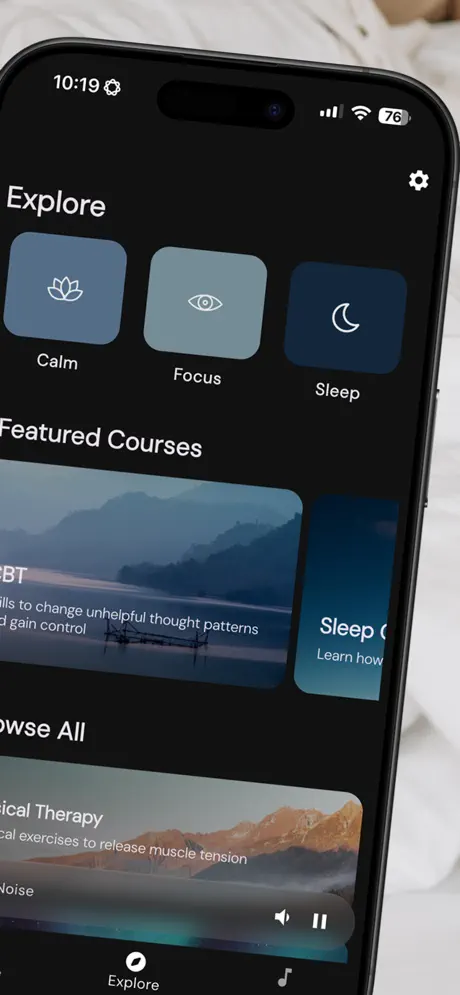
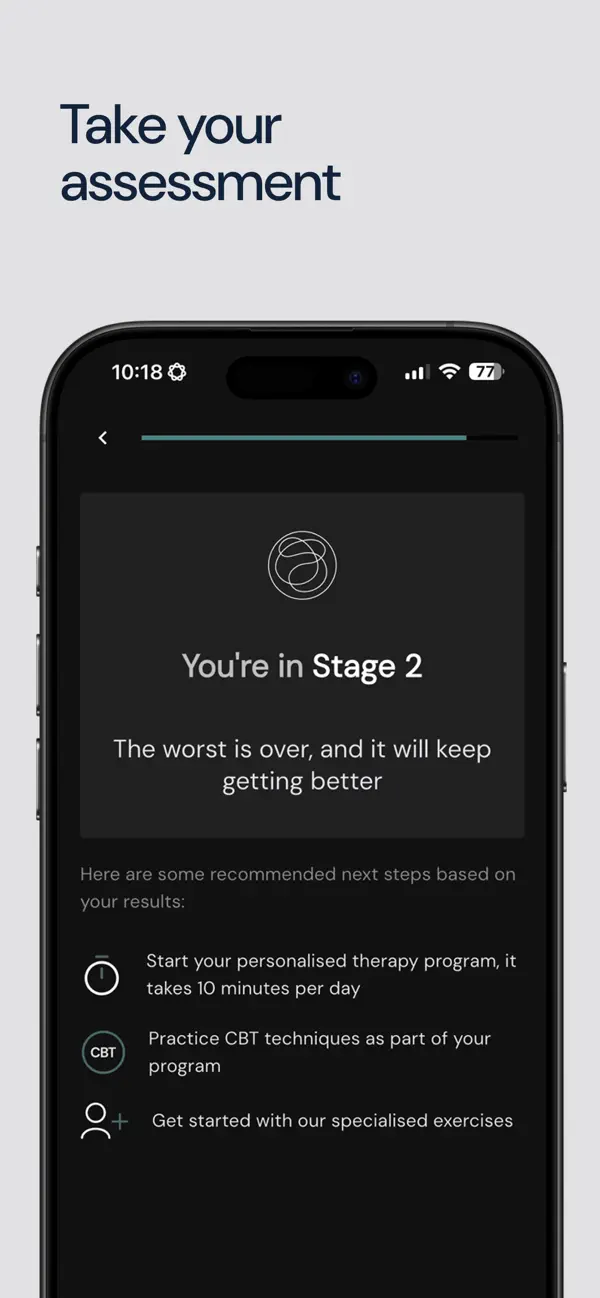
The app splits into two modes: Therapy and Sounds. The Therapy section is where Oto shines. Daily 10-minute sessions walk you through CBT techniques, mindfulness exercises, and relaxation practices. The content is professionally produced and genuinely helpful for changing your relationship with tinnitus. Quick Relief modules offer shorter exercises for tough moments.

The Sounds section includes 100+ therapy sounds, but they're secondary to the program. You get nature recordings, white noise, and ambient textures. Competent but not exceptional. Background playback works sometimes but isn't Oto's focus.

Linda found Oto helpful during her worst period. The structure reduced her anxiety about tinnitus. Knowing she had "a thing to do" each day felt empowering. The bedtime tools helped with sleep-related spikes. After completing the main program, she switched to other apps for daily masking but still revisits Oto's exercises during flare-ups.

The subscription (~$12.99/mo) is pricier than some alternatives, which feels steep for an app. However, comparable in-person CBT therapy costs much more. With strong ratings on both platforms, Oto has helped many people.

Skip if: You want instant masking sounds or notch therapy. Oto is about the psychological approach, not sound engineering.

Oto main therapy program screen

Daily therapy sessions

Oto CBT therapy exercise

Guided CBT exercises

Oto sound therapy library

Sound therapy options

Oto quick relief exercises for tinnitus moments

Quick relief exercises

Limitations

  • No notch therapy or tone matching
  • Pricier subscription than some
  • Best for structured programs, not passive listening
  • Sound library is secondary feature
28
out of 50
Ease of Use 4
UI Design 4
Notch Therapy 1
Background Play 2
Tone Matching 1
Sound Library 3
CBT/Program 5
Value 3
Maturity 4
Languages 1

7

myNoise

Audiophile-grade soundscapes

Platforms: iOS, Android, Web Pricing: Free + one-time unlock (~$9.99)

myNoise isn't a tinnitus app. It's a sound generator app that happens to work brilliantly for tinnitus. Created by a signal processing engineer, it offers the highest-quality soundscapes and most granular control you'll find anywhere.

The magic is in the sliders. Each soundscape has 10 frequency bands you can adjust individually. Want rain but with more low-end rumble and less high-pitched patter? Slide accordingly. This level of control lets you sculpt sounds that precisely mask your tinnitus frequency. DIY notch therapy, essentially.

The library is enormous: 300+ soundscapes covering nature, machines, voices, abstract textures, binaural beats, and more. Each one is meticulously recorded and processed. The web version (mynoise.net) is completely free and works great; the apps offer offline listening and some extra features for a one-time fee around $9.99.

Mike loves myNoise for work. He dials in a custom blend of "Irish Coast" with boosted mid-frequencies that covers his low hum perfectly. The sounds play for hours without getting annoying, which is important when you're wearing headphones all day.

The downside: it's not tinnitus-specific. There's no tone matching, no CBT content, no guidance. You need to know what you're doing or be willing to experiment. The interface prioritizes function over friendliness.

Best for: Tinkerers who want maximum sound quality and customization. The price-to-value ratio is exceptional.

myNoise main interface with sound generator

Sound generator interface

myNoise frequency sliders for customization

10-band frequency control

myNoise soundscape library

300+ soundscapes

myNoise animation and evolving sound modes

Animated sound modes

Limitations

  • Not tinnitus-specific
  • Requires manual experimentation
  • No notch therapy or tone matching
  • No CBT or educational content
  • Background playback varies by device
28
out of 50
Ease of Use 3
UI Design 3
Notch Therapy 1
Background Play 3
Tone Matching 1
Sound Library 5
CBT/Program 1
Value 5
Maturity 5
Languages 1

8

Quieten

Body based therapy approach

Platforms: iOS, Android Pricing: $9.49/mo or $81.99/year

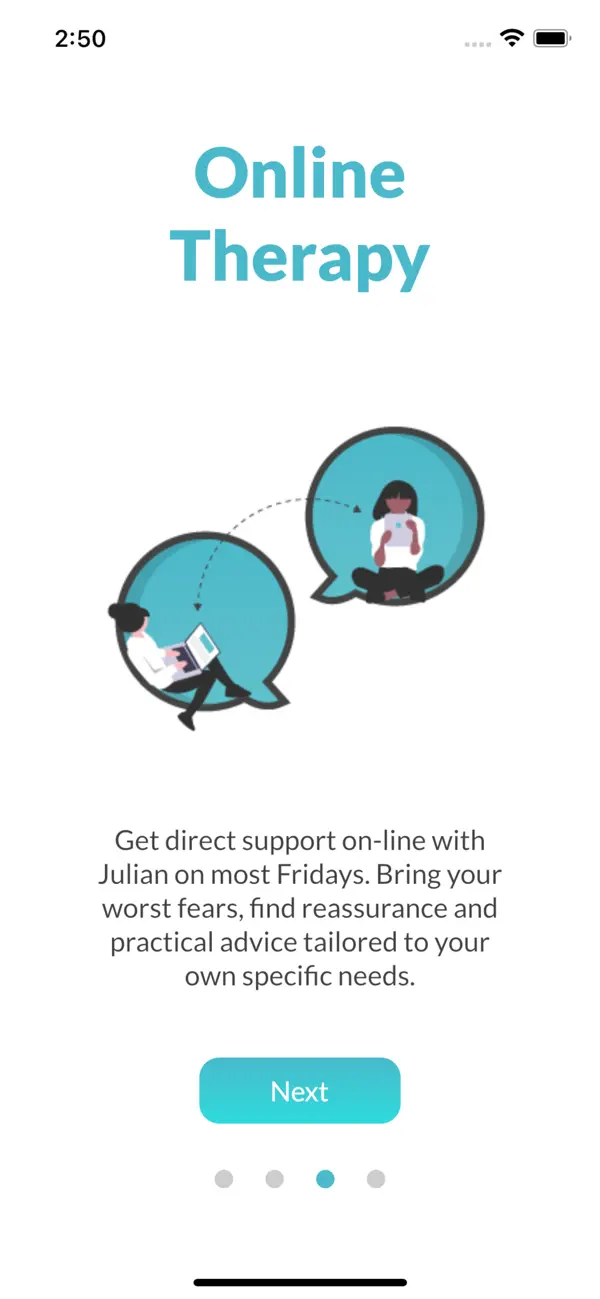
Quieten takes a different approach from most apps on this list. Created by Julian Cowan Hill, a therapist who recovered from 20 years of tinnitus himself, it focuses on nervous system regulation and body based practices rather than sound masking.

The app offers guided meditations, breathing exercises, and educational content explaining how tinnitus works. Hill's theory is that calming the nervous system helps the brain stop amplifying the tinnitus signal. It's similar to CBT but emphasizes somatic (body) practices over cognitive reframing.

This approach has helped some people. Hill has a popular YouTube channel and has worked with hundreds of tinnitus sufferers. The app distills his methods into structured sessions. With 4.5 stars (though only 31 ratings on iOS), users who connect with his style seem to benefit.

The catch: at $9.49/month or $82/year, it's expensive for an app with minimal sound content. You're paying for therapeutic guidance, not masking capabilities. There's no notch therapy, no tone matching, no extensive soundscapes. If you want sounds playing in the background while you work, look elsewhere.

Some users on tinnitus forums question the value compared to Hill's free YouTube content. Others appreciate having everything organized in an app format with offline access.

Best for: People interested in a mind body approach who prefer guided therapeutic content over sound engineering.

Quieten main therapy screen

Body-based therapy

Quieten guided exercises

Guided exercises

Quieten meditation session

Meditation sessions

Quieten body scan relaxation exercise

Body scan exercises

Limitations

  • Not a sound masking app
  • Expensive subscription for limited features
  • Small user base (31 iOS ratings)
  • No notch therapy or tone matching
  • Similar content available free on YouTube
22
out of 50
Ease of Use 4
UI Design 4
Notch Therapy 1
Background Play 2
Tone Matching 1
Sound Library 1
CBT/Program 3
Value 2
Maturity 3
Languages 1

9

Tinnitus Masker (Burotec)

Simple Android masking

Platforms: Android Pricing: Free + ads (IAP to remove)

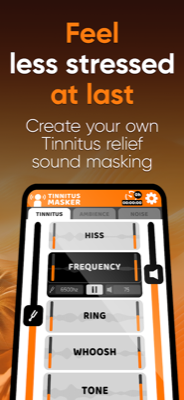
Tinnitus Masker by Burotec is a straightforward Android option that does one thing: play masking sounds. If you're on Android and want a simple, no frills tinnitus masker, it works.

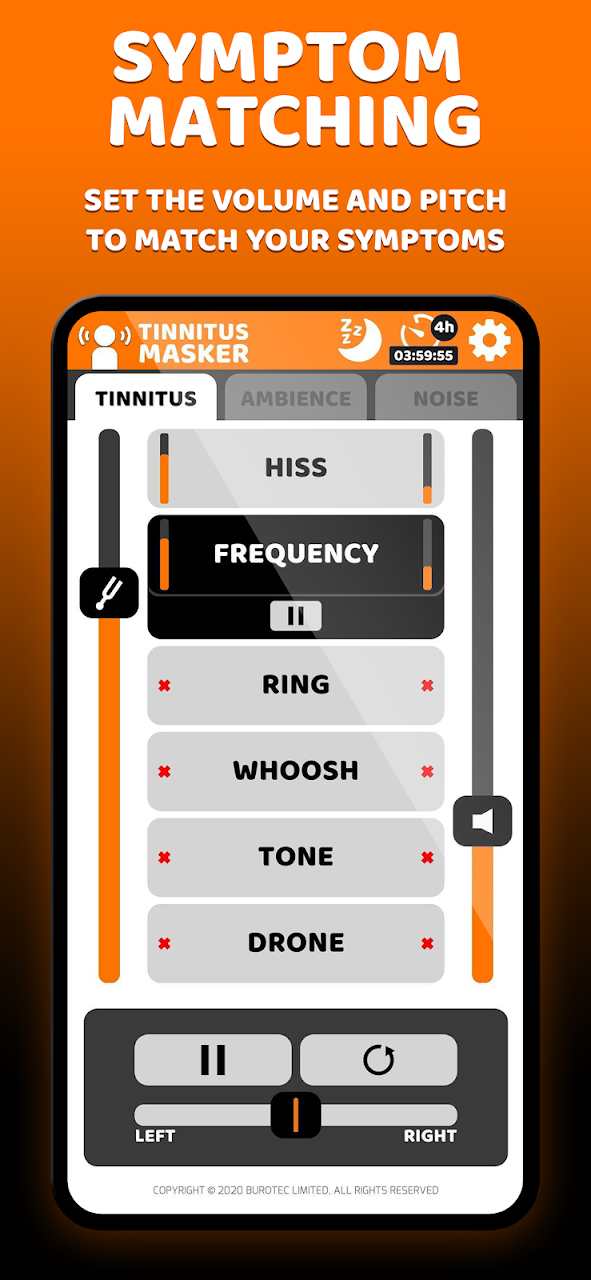
The app offers a selection of noise colors (white, pink, brown) and nature sounds. You can adjust volume, set sleep timers, and that's about it. The interface is basic but functional. Ads appear in the free version; a small in app purchase removes them.

What you won't find: notch therapy, tone matching, CBT content, or sophisticated sound customization. This is a sound player for tinnitus, nothing more. Background playback is inconsistent and may or may not keep playing depending on your Android version and battery settings.

The 3.7 star rating on Google Play is lower than most apps on this list, and reviews mention occasional crashes and limited sound selection. It works for basic masking but doesn't excel at anything.

For Android users, we'd suggest trying ReSound Relief (free, more features, better ratings) or myNoise (better sound quality) before settling on Burotec. Those apps offer more capability at similar or better prices.

Best for: Android users who want the absolute simplest masking solution and don't need advanced features.

Tinnitus Masker main sound selection screen

Sound masking options

Tinnitus Masker sound therapy interface

Therapy sounds

Tinnitus Masker frequency matching

Frequency matching

Tinnitus Masker sleep timer settings

Sleep timer

Limitations

  • Android only
  • Lower ratings (3.7) than competitors
  • No notch therapy or tone matching
  • Basic feature set
  • Ads in free version
21
out of 50
Ease of Use 3
UI Design 2
Notch Therapy 1
Background Play 2
Tone Matching 1
Sound Library 3
CBT/Program 1
Value 3
Maturity 2
Languages 3

10

Tinnitus Ease

Budget one time purchase

Platforms: iOS Pricing: $0.99 one-time

Tinnitus Ease is a bare bones option from a solo developer. At $0.99 with no subscription, it's the cheapest paid app on this list. You get what you pay for.

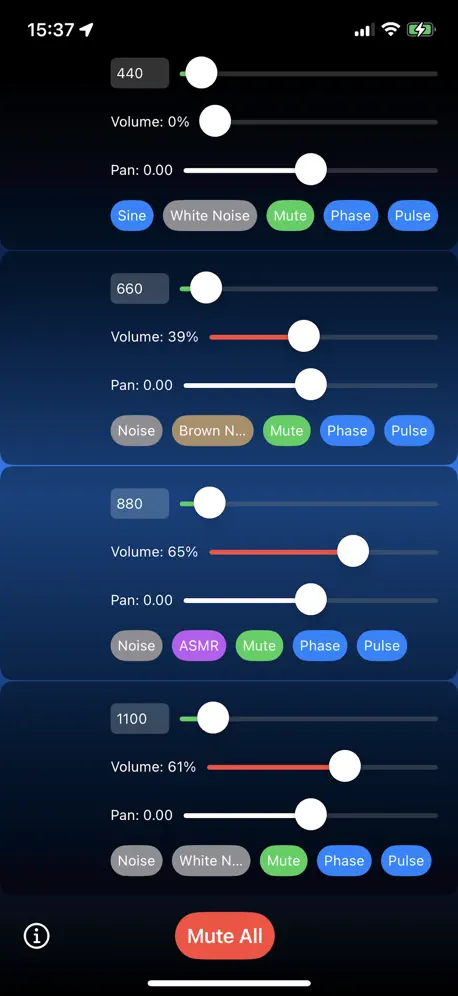
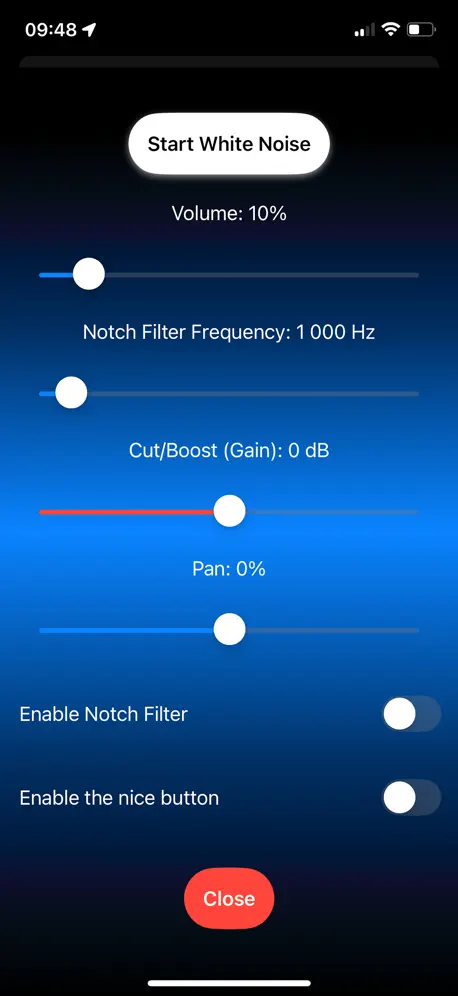
The app generates sine wave tones (20 Hz to 13,000 Hz), white/pink/brown noise, and four ASMR soundscapes. There's a basic notch filter that can attenuate or boost specific frequencies. You can run up to four sound sources simultaneously with individual volume and panning controls.

The feature set sounds decent on paper, but execution matters. This is a brand new app with zero reviews as of early 2026. We can't point to user feedback or a track record of reliability. The developer is an individual, not a company, which raises questions about long term support and updates.

Linda tested it briefly. The sounds work, the notch filter functions, but everything feels utilitarian. There's no polish, no guidance, no help figuring out what settings might work for you. You're on your own experimenting with sliders.

For 99 cents, it's hard to complain too much. If you want to try notch filtering without committing to a subscription, this is an inexpensive experiment. Just don't expect hand holding or refinement.

Best for: Budget conscious iOS users willing to tinker and accept uncertainty about long term app support.

Tinnitus Ease main interface

Sound generator

Tinnitus Ease notch filter

Basic notch filter

Limitations

  • Zero user reviews (brand new)
  • Solo developer, uncertain support
  • Minimal sound library
  • No guidance or educational content
  • Basic interface
21
out of 50
Ease of Use 3
UI Design 2
Notch Therapy 2
Background Play 3
Tone Matching 2
Sound Library 2
CBT/Program 1
Value 4
Maturity 1
Languages 1

11

T-Minus Discontinued

Sound therapy & journaling

Platforms: iOS, Android Pricing: Subscription (~$7.99/mo)
App Store Google Play

T-Minus offered sound therapy and journaling features, but the app has been discontinued and can no longer be downloaded.

Linda used T-Minus for a while. The journaling feature helped her notice patterns (coffee = worse tinnitus). The sound library included standard masking sounds: white, pink, and brown noise plus nature recordings. Recently, when Linda upgraded her phone, we found the app had been removed from both app stores. It simply doesn't exist anymore for new users.

What it offered when active: a solid library of masking sounds, basic journaling to track tinnitus patterns, and some light educational content. The sounds were fine quality, but there was no notch therapy, no tone matching, no advanced features.

Limitations

  • App discontinued and removed from stores
  • Cannot be downloaded by new users
  • No notch therapy or tone matching
  • Better alternatives now available

Note: This app was discontinued and is no longer available for download. For similar features (and much more), try Aurina, our current top pick.

20
out of 50
Ease of Use 3
UI Design 2
Notch Therapy 1
Background Play 2
Tone Matching 1
Sound Library 4
CBT/Program 2
Value 2
Maturity 2
Languages 1

12

AudioNotch

Notch therapy pioneer (dated)

Platforms: iOS, Android, Web Pricing: ~$40/month

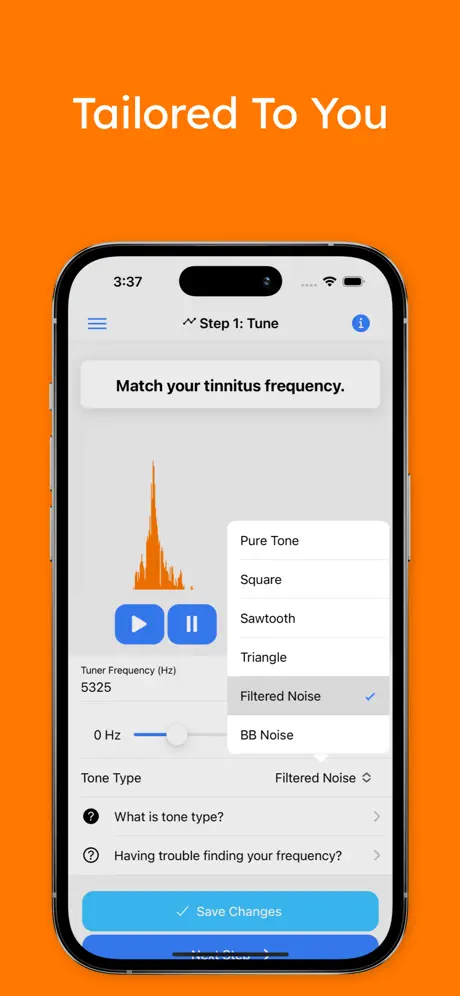
AudioNotch was an early pioneer of notch therapy apps, and the underlying concept remains valid. Unfortunately, the execution hasn't kept up. In 2026, it's hard to recommend despite being one of the few options with legitimate notch filtering.

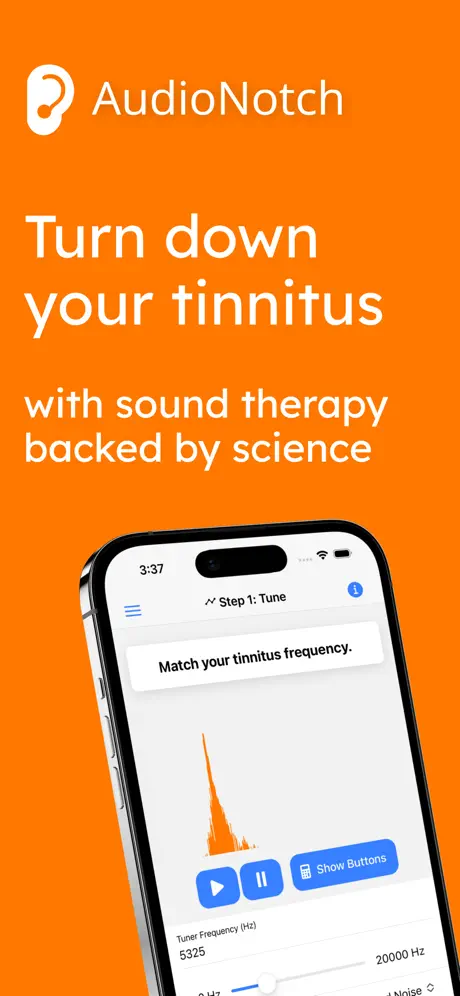
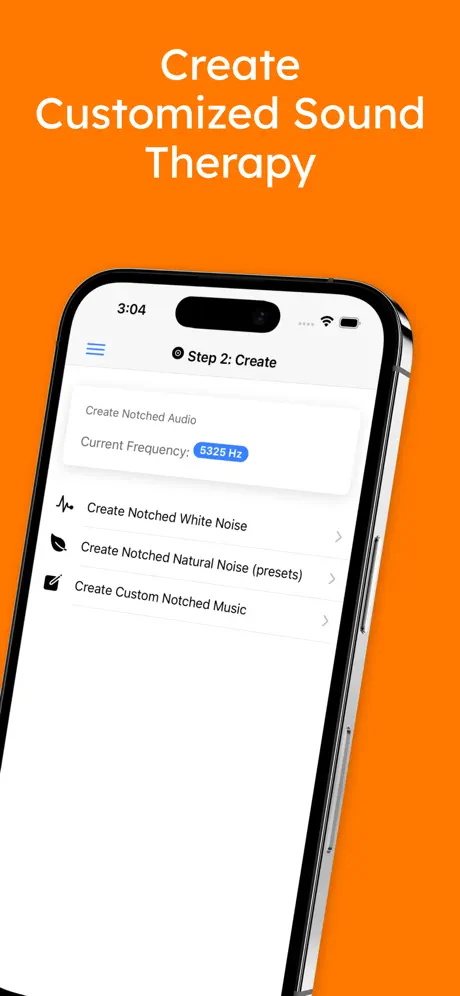
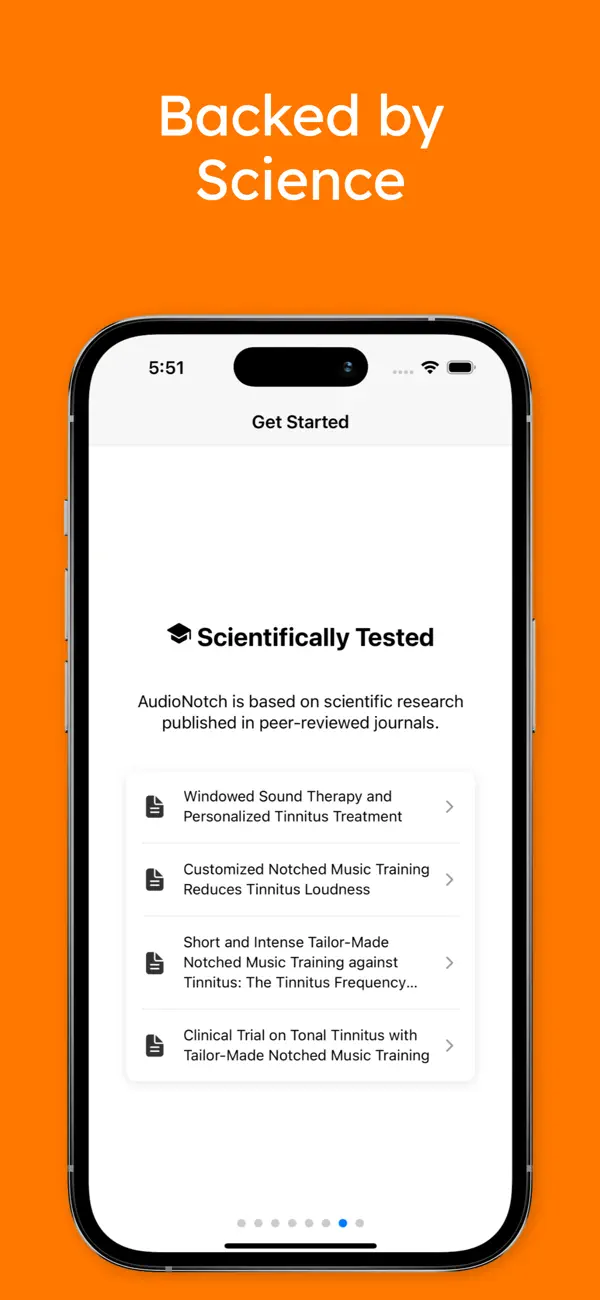
The idea: you identify your tinnitus frequency, and AudioNotch creates music or white noise with that frequency filtered out. Research suggests this may help retrain the brain over time. The science is real. The app's implementation is the problem.

The interface feels stuck in 2015. The tone-matching process uses a manual slider that's imprecise and frustrating. Audio processing happens on their servers, which means delays and occasional reliability issues. Critically, generated audio doesn't loop smoothly and there's no built-in sleep timer. For an app you're supposed to use daily, these UX issues compound.

At ~$40/month, it's dramatically more expensive than alternatives. Aurina offers guided tone matching and notch therapy for $6.99/month. Tinnitus HQ provides one-time purchase with superior filters for $89.99. AudioNotch's pricing made more sense when it had less competition.

We include AudioNotch because the notch therapy concept matters, and some users report genuine improvement. But if you want notch therapy in 2026, start with Aurina or Tinnitus HQ instead.

Skip unless: You've specifically tried the alternatives and found them lacking. The concept is good; the execution isn't.

AudioNotch main interface

Notch therapy interface

AudioNotch sound player

Sound player

AudioNotch frequency matching

Frequency matching

AudioNotch app settings and controls

Settings and controls

Limitations

  • Dated interface and UX
  • Expensive ($40/month) vs alternatives
  • Server-side processing unreliable
  • Audio doesn't loop smoothly
  • No sleep timer
  • Manual tone matching is imprecise
16
out of 50
Ease of Use 1
UI Design 1
Notch Therapy 4
Background Play 1
Tone Matching 2
Sound Library 2
CBT/Program 1
Value 1
Maturity 2
Languages 1

How We Score Apps

We (Mike and Linda) have personally tested every app on this list. Linda has had tinnitus since 2019, Mike since 2024. We're not audiologists. We're just two people in Phoenix who have tried a lot of tinnitus apps and kept notes.

Each app is scored 1-5 across 10 criteria, for a maximum of 50 points. Here's what each criterion means:

Ease of Use
How easy is it to set up and use daily?
UI Design
Visual design quality, modern feel, and intuitive navigation
Notch Therapy
Notch filtering capability and quality
Background Play
Can it play reliably alongside other apps?
Tone Matching
How you find your tinnitus frequency (guided A/B = 5, manual slider = 3, none = 1)
Sound Library
Quality and variety of masking sounds
CBT/Program
Structured therapy, coaching, and educational content
Value
Price compared to features offered
Maturity
How long has the app existed? Is it actively maintained and updated?
Languages
Multilanguage support (5 = 15+, 4 = 8 to 14, 3 = 4 to 7, 2 = 2 to 3, 1 = English only)

A note on Maturity: New apps naturally score lower here because they haven't had years to prove themselves. A low Maturity score doesn't mean the app is bad, just that it's newer. We try to compensate by testing new apps thoroughly ourselves.

Frequently Asked Questions

How do I pick the right app?

It depends on what you need. Need background masking? Pick apps that play alongside other audio (Aurina, Tinnitus HQ, myNoise). Want notch therapy? Look for apps with tone matching + notch filters—Aurina has guided A/B matching. Prefer coaching? Choose a CBT program app like MindEar or Oto for structured daily sessions. Hate subscriptions? Look at Tinnitus HQ ($89.99 one-time) or myNoise (~$9.99 one-time).

What's the difference between masking and notch therapy?

Masking covers your tinnitus with other sounds (rain, white noise, nature). You hear the masking sound instead of the tinnitus. Notch therapy removes your specific tinnitus frequency from sounds, which research suggests may help reduce perception over time. Many people use both.

Which apps can keep playing while I use Spotify or YouTube?

Most tinnitus apps pause when you open another audio source. Aurina (Underlay Mode) and Tinnitus HQ are designed to play alongside other apps. myNoise sometimes works depending on your device.

What's the best app for tinnitus at night?

For sleep, you want reliable playback and soothing sounds. ReSound Relief has good sleep soundscapes and a working sleep timer. myNoise offers the highest-quality nature sounds. Aurina can play underneath a sleep meditation app if you use multiple audio sources.

Do I need to know my tinnitus frequency?

Only if you want notch therapy. Apps like Aurina have guided tone matching (A/B comparison) that makes finding your frequency easy. Tinnitus HQ and AudioNotch use manual sliders, which takes more effort. For pure masking or CBT apps, you don't need to know your frequency.

Is CBT actually helpful for tinnitus?

Yes. Cognitive Behavioral Therapy has the strongest evidence base for tinnitus management. It doesn't make the sound go away, but it changes how your brain responds to it. Apps like MindEar and Oto offer structured CBT programs. If your tinnitus causes significant distress, CBT is worth trying.

What if I hate subscriptions?

Tinnitus HQ is $89.99 one-time. Aurina offers $69.99 lifetime. myNoise is ~$9.99 one-time for the app (web version is free). ReSound Relief has a genuinely useful free tier. You don't need a subscription to manage tinnitus.

Which apps are best for Android?

ReSound Relief, MindEar, Oto, and myNoise all have solid Android versions. Tinnitus HQ and Aurina are iOS-only. For Android-specific options, Burotec Tinnitus Masker is simple but functional.